Use it yourself, or let your AI agent drive.
You can run everything from the Mac app. Your AI agent can manage the same Runners over MCP. Either way, it's the same apps on the same Mac.
Click through it in the app.
Pick an app from the catalog, or drop in a folder or a git repo, and it gets a public URL. You don't need the terminal or any YAML.
- ✓One-click catalog, from Minecraft to Postgres
- ✓Drag in a folder or a git repo and it runs
- ✓Live App status and failover at a glance
- ✓Sign in with Apple. No extra account or password
Or ask your agent to do it.
Connect any AI that supports MCP. It can list your Runners, deploy, update, roll back and read logs. It uses a scoped token, so your platform key stays private.
$ deploy_runner repo=github.com/you/site
ok v2 live at https://my-app.urlyup.com
$ runner_logs
listening on :3000
- ✓22 scoped tools, from deploy to logs
- ✓Deploy from a git repo, update to a new version
- ✓Roll back or tail logs from inside the agent
- ✓Scoped, revocable tokens for cloud updates
Add the UrlyUp skills
to your AI agent.
When the agent saves a change, it shows up at your public HTTPS URL. There's no cloud server involved.
Your AI can deploy what it writes.
UrlyUp supports MCP. Connect Claude Code or Claude Design and they can create, deploy, version and roll back the apps running on your Mac, and push updates to your site from the chat. You don't need a dashboard or a cloud server, and your apps are still reachable from anywhere.
Any AI that supports MCP will work. On your Mac, Claude Code can list Runners, deploy from a git repo, update to a new version, roll back and tail logs. From the cloud, Claude Design pushes updates to your live site with a scoped token you can revoke, so your platform key never leaves the server. It's the standard Model Context Protocol, so the tools you already use should work with it.
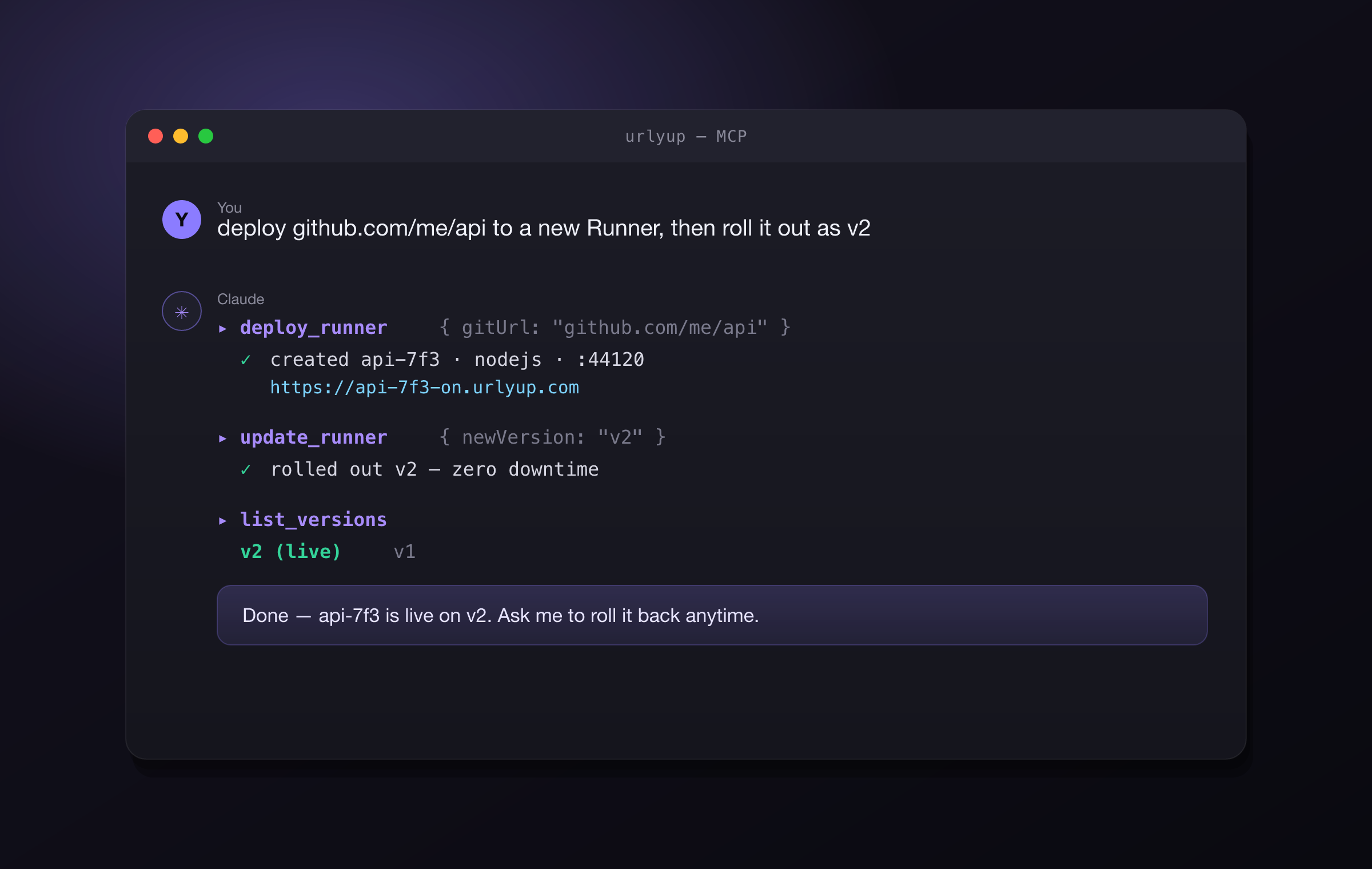
To set it up, install the UrlyUp extension in Claude Desktop and enter your key. It connects to Mac Hosting on your machine, so your key stays there. If you turn on cloud deploys, updates go to your live urlyup.com site through a scoped token you can revoke.
Publish from Open Design.
Send your Open Design project to UrlyUp and you get a public link that works on any device. You don't have to set up hosting or a server.
Once it's published, open it on your phone or send the link to a client. You don't need a hosting account or a deploy pipeline, and when you make changes, the link stays the same.
Common questions
Which AI agents can use UrlyUp?+
Any AI that supports MCP, the standard Model Context Protocol. Claude Code and Claude Design work with it, and agents such as Codex and OpenCode can use the UrlyUp skills.
Does my platform key leave my Mac when an AI deploys for me?+
No. The Claude Desktop extension connects to Mac Hosting on your machine, so your key stays there. If you turn on cloud deploys, Claude Design pushes updates through a scoped token you can revoke.
Do I have to choose between the Mac app and an AI agent?+
No. You can run everything from the Mac app, and your AI agent can manage the same Runners over MCP. It is the same apps on the same Mac.
What happens to the link when I change an Open Design project?+
The link stays the same when you make changes, and there is no server for you to maintain.
