One-click deploy

Popular self-hosted apps, installed in one click.

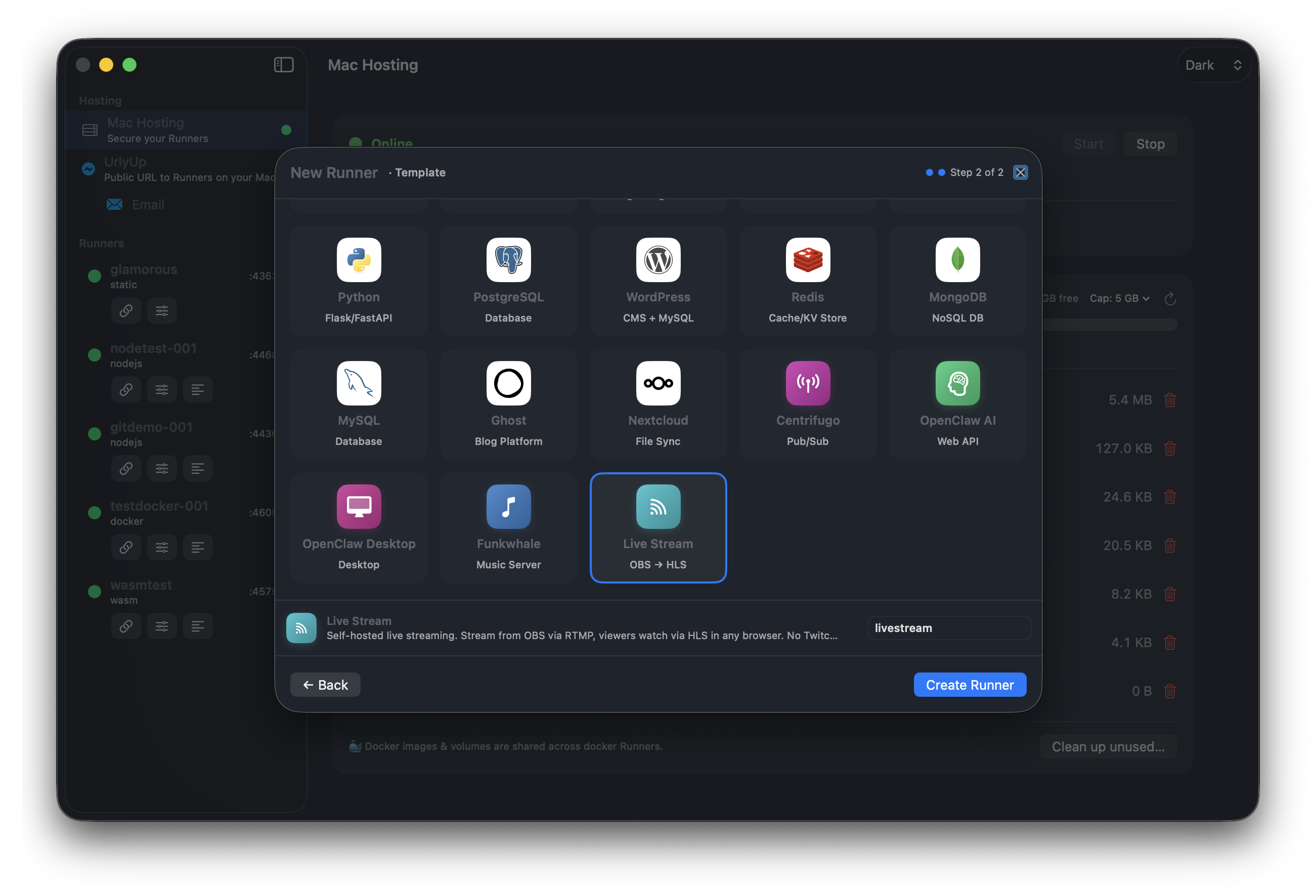
Well-known open source web apps, already configured. Each is an established project on GitHub, and they're free to run for one user or as many as you like. The catalog includes:
J
Jellyfin
Media server
O
Ollama + WebUI
Local LLMs
G
Ghost
Publishing
W
WordPress
CMS + MySQL
N
Nextcloud
Files & sync
P
Postgres + Adminer
Database
R
Redis
Cache / store
C
Centrifugo
Realtime
…and more, MongoDB, MediaMTX live streaming, Funkwhale, plain nginx, Node & Python starters.
UrlyUp one-click template picker, including OBS live streaming

Find your use case.

Pick one to see which self-hosted apps fit. They all ship as Docker images, so each installs in one click.

New · Gaming

Host a Minecraft server in one click.

Pick it from the catalog and the server starts on your Mac with a public address your friends can join from anywhere. You don't need port forwarding, a VPN or a rented server.

Use case
{{ active.label }}
{{ active.blurb }}
{{ app.name }} · {{ app.desc }}
{{ app.badge }}
Deploy any of these in one click from the catalog, or drop in your own docker-compose.yml.
UrlyUp vs Minecraft Hosting
Your Mac is probably more powerful than the Minecraft server you're renting.

Host Minecraft on your own Mac for $4.99/month. Hosting companies rent you 2, 4 or 8 GB on their server and charge more as your world grows. With UrlyUp you use the RAM and SSD you already have, keep the world on your Mac, and give your friends the host name and port.

No RAM or storage tiers.

UrlyUp doesn't add hardware. Minecraft uses whatever memory, storage, CPU and bandwidth your Mac has free.

For $4.99/month, UrlyUp gives you:
✓Always-on Minecraft hosting with Live App
✓Your Mac's real hardware, not 1-3 rented virtual CPU cores
✓No RAM tiers: use the memory your Mac has available
✓No storage tiers: use your Mac's SSD for worlds, mods, and backups
✓No upgrade fees when you add mods, grow a world, or invite more friends
✓Your files stay on your Mac: worlds, plugins, mods, backups, and config are yours
✓One Mac can host everything: Minecraft, media, photos, files, and more through UrlyUp
✓Easy sharing: send friends a link, no server setup
Compared with a rented server
What a typical Minecraft host sells you:
Traditional host
UrlyUp
1-3 virtual CPU cores
Your Mac's available real CPU capacity
2 GB, 4 GB or 8 GB RAM tiers
Use available Mac unified memory
10-100 GB storage caps
Use available local SSD storage
Pay more as your world grows
Same $4.99/month
Provider owns the hardware
You own the hardware and the data
One rented Minecraft server
Your Mac can host Minecraft and everything else
Host Minecraft on the Mac you already own. Live App keeps it online when your Mac isn't, and there are no RAM, storage or CPU tiers to upgrade. It's $4.99/month.
Download for macOS

Run almost anything.

Each Runner gets its own network namespace and its own user, the same isolation production hosts use. You can load a Runner from a git repo, a local folder or the API, or have your AI agent set it up over MCP.

Static
HTML, SPA fallback, dynamic OG tags. Drop a dist/ and go.
Node.js
npm, yarn, pnpm or bun. Pin a version, set a start command, expose extra ports.
Python
Flask, Django or FastAPI with a per-Runner venv from requirements or pyproject.
PHP
Front-controller routing, custom document root, pick your PHP version.
Docker
Full docker-compose stacks run in their own protected space with a real container engine. Multiple services and volumes work.
WASMadvanced
WebAssembly under WasmEdge. Compile Rust to wasm32-wasip1 and serve it from your Mac.

WebAssembly,
run natively.

WASM Runners run directly on your Mac through WasmEdge, without a container or virtual machine in between. They run close to native speed, start almost instantly, and cost nothing extra.

✓
Runs directly on the CPU
There's no virtualization layer, so modules run at full speed.
✓
Small and quick to start
Binaries are kilobytes in size and cold-start in milliseconds.
✓
Sandboxed
A WebAssembly module can only use the capabilities it's given, which is a security boundary in itself.
R
Rust
Fully supported.
# build once
$ cargo build --target wasm32-wasip1 --release

# UrlyUp serves it, live
→ https://my-wasm-on.urlyup.com  ✓ 200

Compile Rust to wasm32-wasip1, add it to a Runner, and it's public within seconds. Go, C, Zig and any WASI target work too.
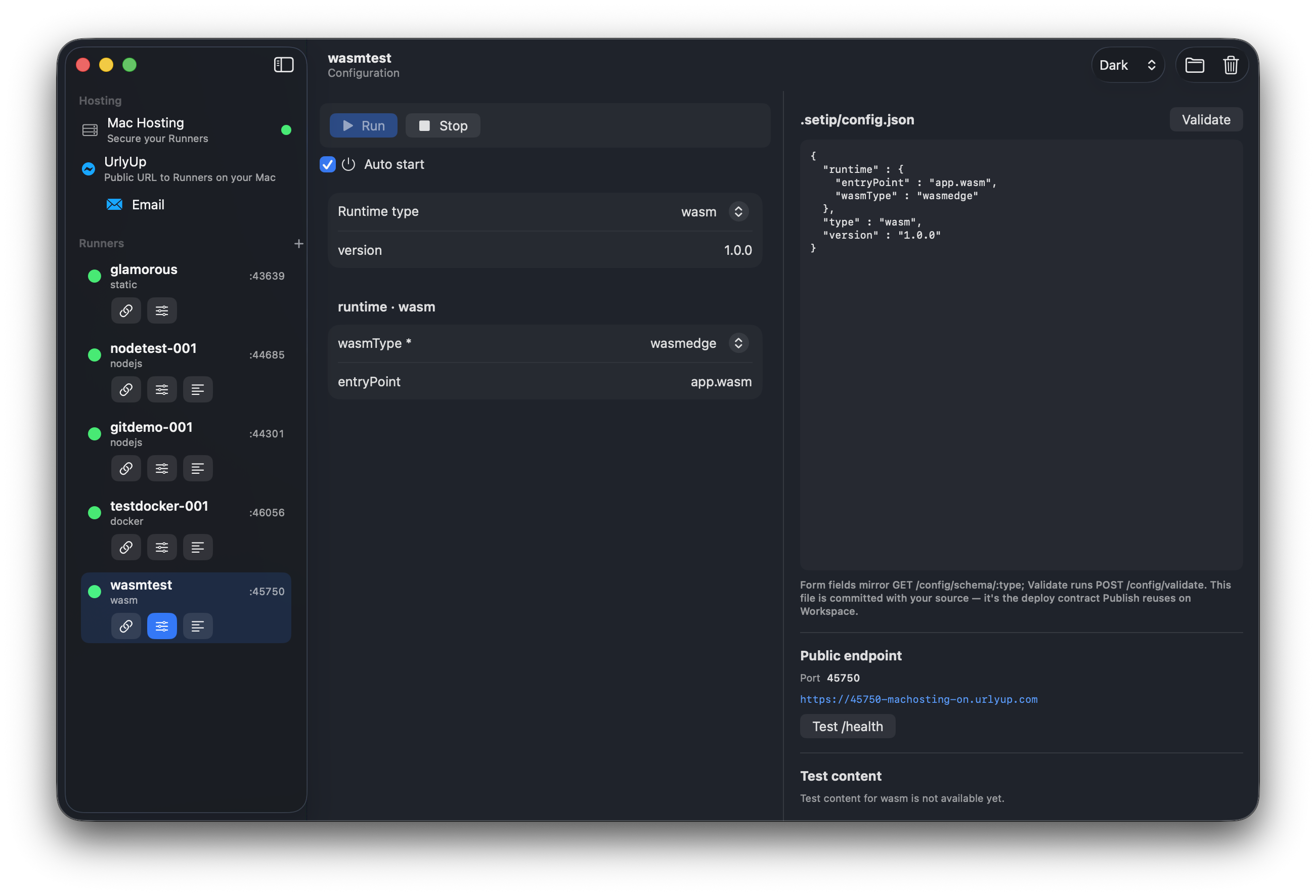
UrlyUp wasmtest Configuration

Common questions

Do I need to know Docker or the command line?+

No. Static sites, Node, Python and PHP Runners only need a folder or a repo, and UrlyUp handles the rest. Docker is there if you want it. Between the one-click catalog and "Fix with AI", you'll rarely need to edit YAML.

Are the catalog apps free?+

They are established open source projects, free to run for one user or as many as you like.

Can I host a Minecraft server for my friends?+

Yes. Pick it from the catalog and the server starts on your Mac with a public address your friends can join. You don't need port forwarding, a VPN or a rented server. Always-on hosting with Live App is $4.99/month.

Which languages can I run as WebAssembly?+

Rust is fully supported: compile to wasm32-wasip1 and add it to a Runner. Go, C, Zig and any WASI target work too.

All questions and requirements →
UrlyUp

Download it and put your first app online.

Use the Mac you already have as your server.

Self-hosting free · macOS 14+ · Apple silicon (M Series)

What you need

💻
Apple Silicon
Any Apple Silicon (M Series) Mac.
🍎
macOS Sonoma (14)+
Or later. Built on Apple's Virtualization framework.
🧠
8 GB memory
8 GB works. 16 GB is better if you run several apps.
💾
10 GB free
Disk space you need to get started.
🌐
Internet connection
Needed to serve your apps publicly.
🔑
Sign in with Apple
Used to reserve your public URL.